
Driver monitoring systems are pretty controversial and while they may become mandatory in places like the US you aren’t forced to use one yet. So what do you do if you’re driving a Subaru WRX and its non-mandatory driver monitoring system decides to annoy you with a near continuous string of beeps? You turn it off.
While Subaru doesn’t recommend turning the system off, is it something you can quite easily do. Unlike some settings, in a 2026 Subaru WRX a disabled driver monitor system will stay disabled no matter how many times you turn the vehicle off and on again. The setting will remain off until you manually turn it back on again, though this may vary by model year. While these instructions are based on the 2026 Subaru WRX, it should apply to pretty much any Subaru with a driver monitoring system.
What is Subaru’s driver attention monitoring system
As its name suggests, Subaru’s driver monitoring system uses an infrared camera to monitor the driver. If the person behind the wheel seems drowsy or distracted, an alert will sound. There are some exceptions to the alert system. For example, it won’t sound when you’re reversing the vehicle, nor will an alert be issued when your turn signals are on. So don’t worry, it won’t act like you’re distracted when you’re checking the blind spot.
There are some benefits to the system too, aside from telling you to take a break when you’re tired. The system can recognize a particular user’s face, and immediately set the car up for them. This includes adjusting the mirrors, seat, and climate settings.
Unlike some of the systems proposed in draft legislation, Subaru’s driver monitoring system will not take control of the vehicle. It can nag you if you’re not focusing on the road enough for its liking, but that’s all it can do. So even if you leave it on, you won’t find yourself pulling over at the roadside against your will because you looked out of the driver’s window one too many times. It’s also pretty easy to disable the system completely.
How to disable Subaru’s driver monitoring system
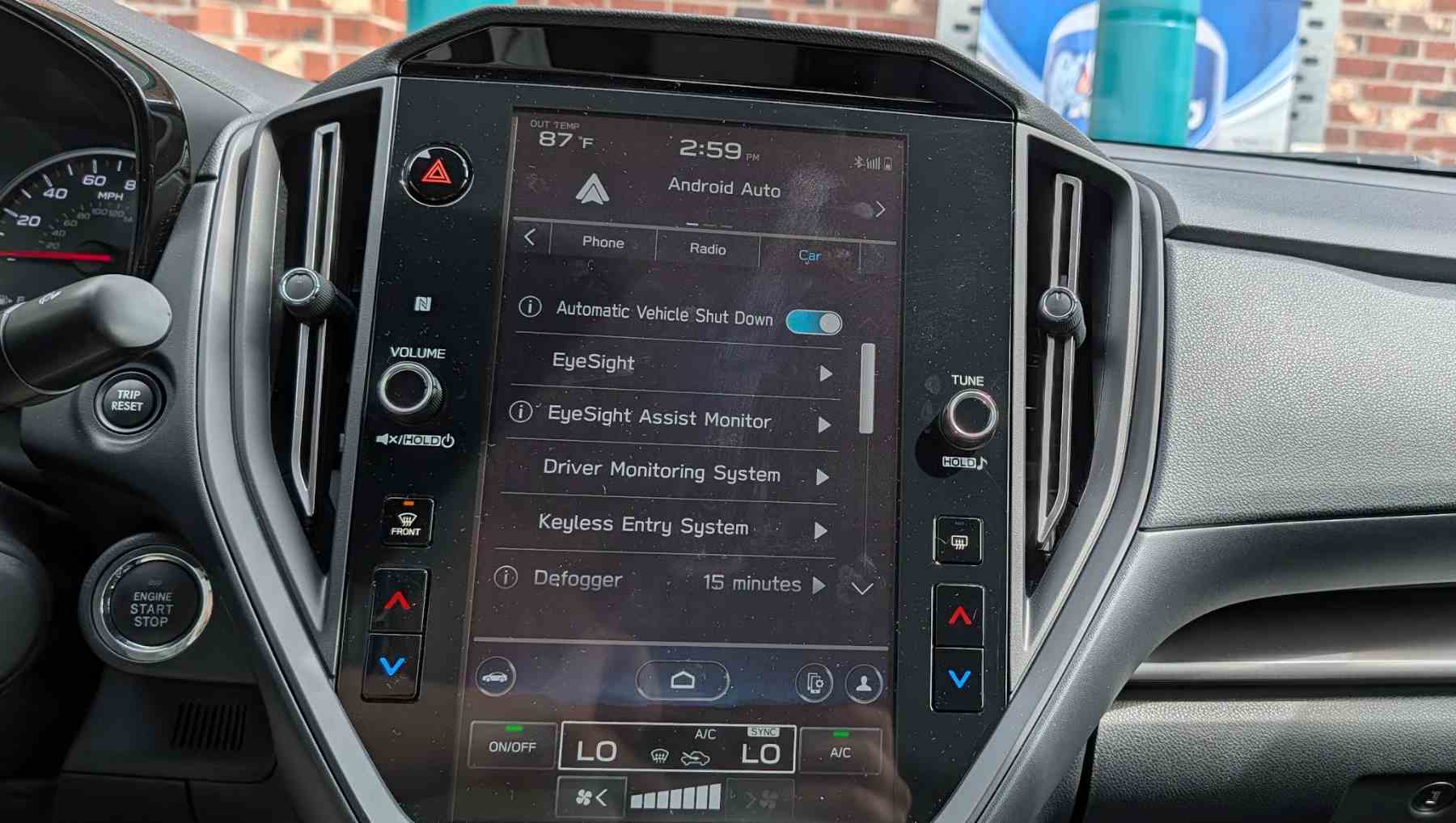
To disable the driver monitoring system, you need to click home on the central touch screen followed by settings. Then select “car” on the menu tab. From here, you should see a list of options, including “Driver monitoring system.” Select the driver monitoring system and turn it off.
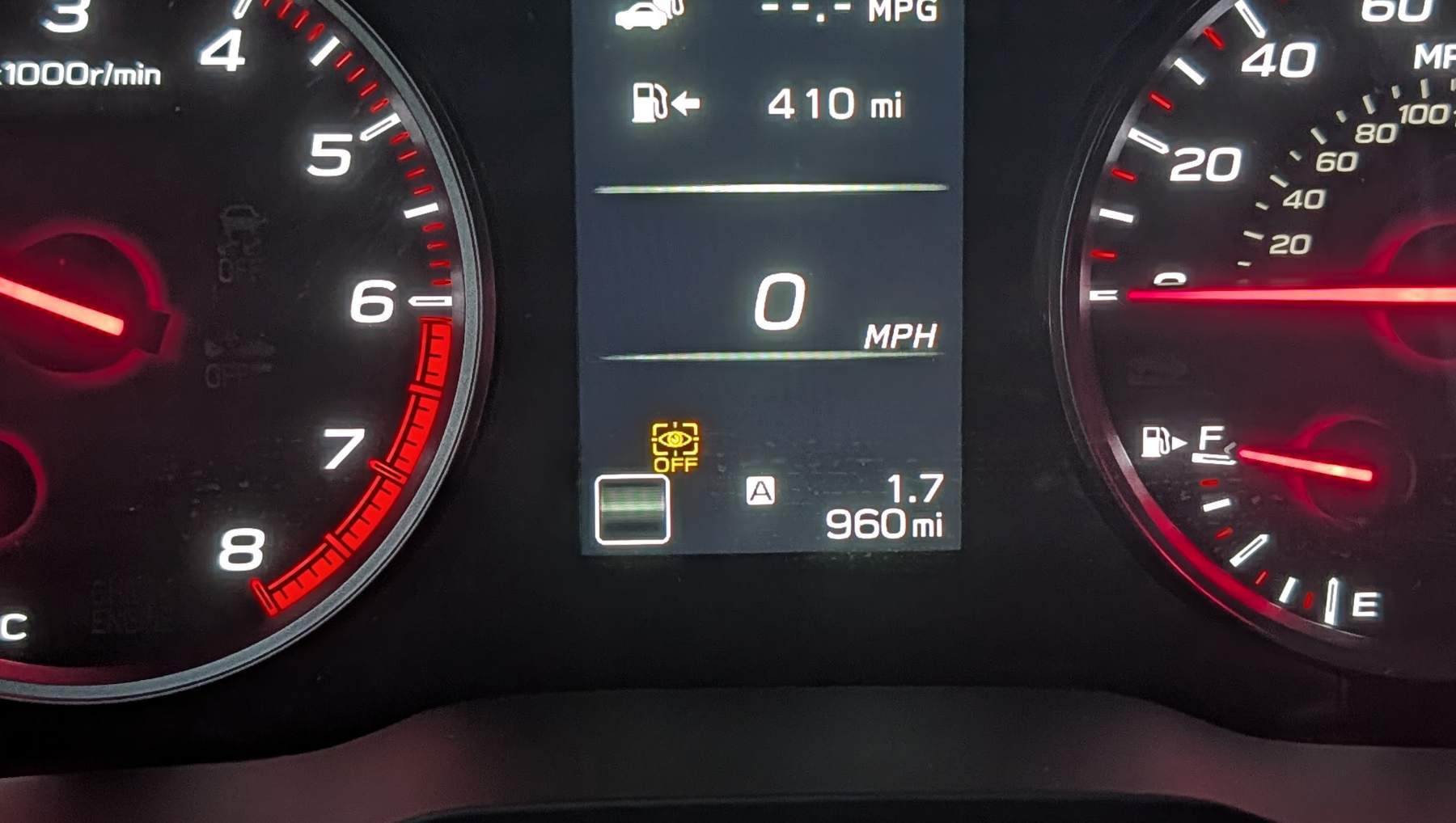
If you successfully disable the system an orange eye type warning light should appear on your driver’s display. If you don’t want to disable the system completely, you can also adjust the alert frequency and sensitivity in this menu.
Should you change your mind, the same menu can be used to turn the system back on. While driver monitoring systems are controversial, they do exist for a reason. While turning it off for day to day use is understandable, particularly as the frequent alerts can be quite annoying, you should consider turning it back on for long trips or if you’re driving while fatigued.
If the systems become mandatory in future, you may still be able to turn them off. It all depends on the exact wording of any laws that pass.
 simonrockman DRIVER2 months ago